Hotels using Tribii: three real setups for direct bookings
A canal house in Amsterdam, a village guest house in the Douro and two apartments in Kampen all take commission-free bookings with Tribii. Each one set it up differently. Here is what they did, and how to choose the setup that fits your property.
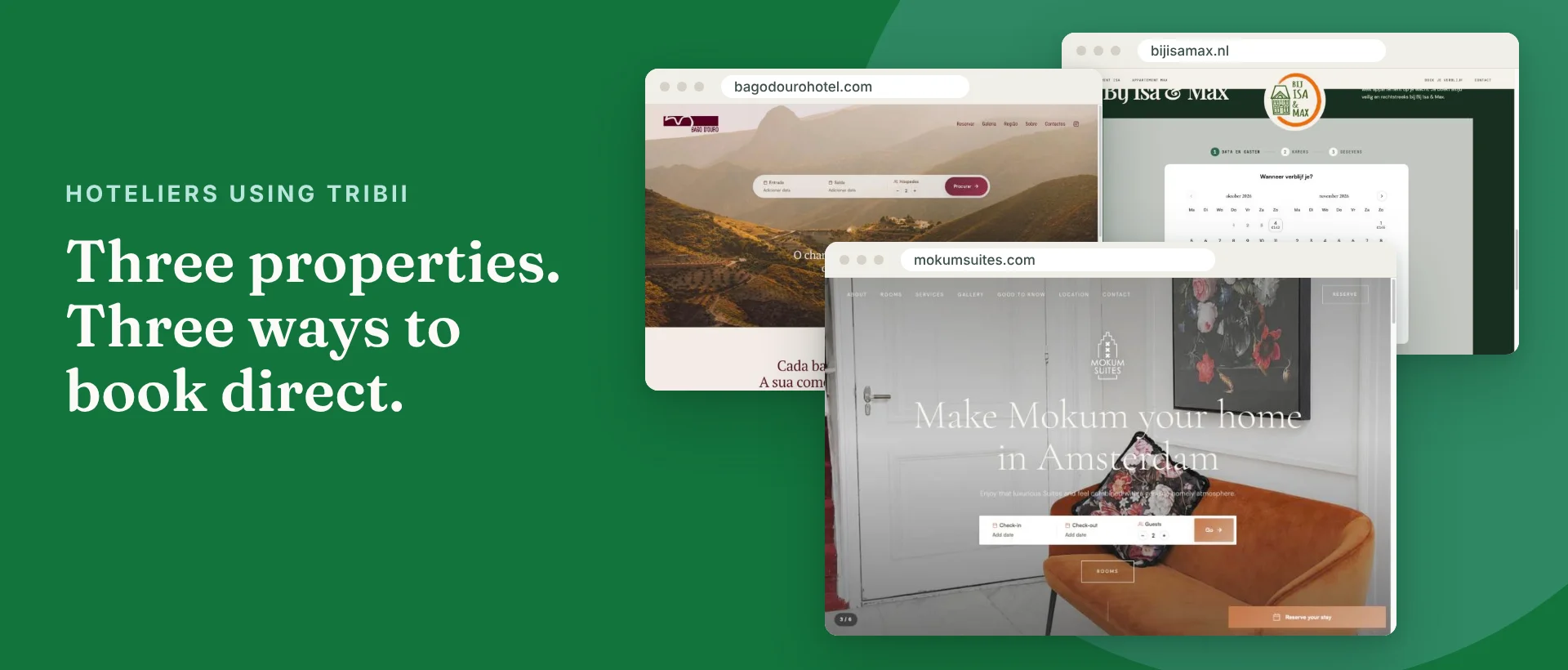
Before you move your direct bookings to a new system, you want to see it working somewhere real. Not a demo property, but an actual place with actual guests.
So here are three. Mokum Suites, a canal house on the Herengracht in Amsterdam. Bago D'Ouro, a rural guest house in a village on the Portuguese stretch of the Douro. And Bij Isa & Max, two holiday apartments in the old centre of Kampen. All three take direct bookings through Tribii, with 0% commission. None of them did it the same way.
That is the point of this piece. There is no single right way to put a booking engine on a property's website. You pick the setup that matches the site you have, or the one you want, and then you set the rules.
Three properties, three setups
- Mokum Suites runs its whole website on Tribii, on its own domain.
- Bago D'Ouro kept its own website and added two Tribii widgets: a search bar in the hero and the booking page on its own reservation page.
- Bij Isa & Max kept its own one-page site and placed the booking engine straight into the booking section of the homepage.
Mokum Suites, Amsterdam: the whole website on Tribii
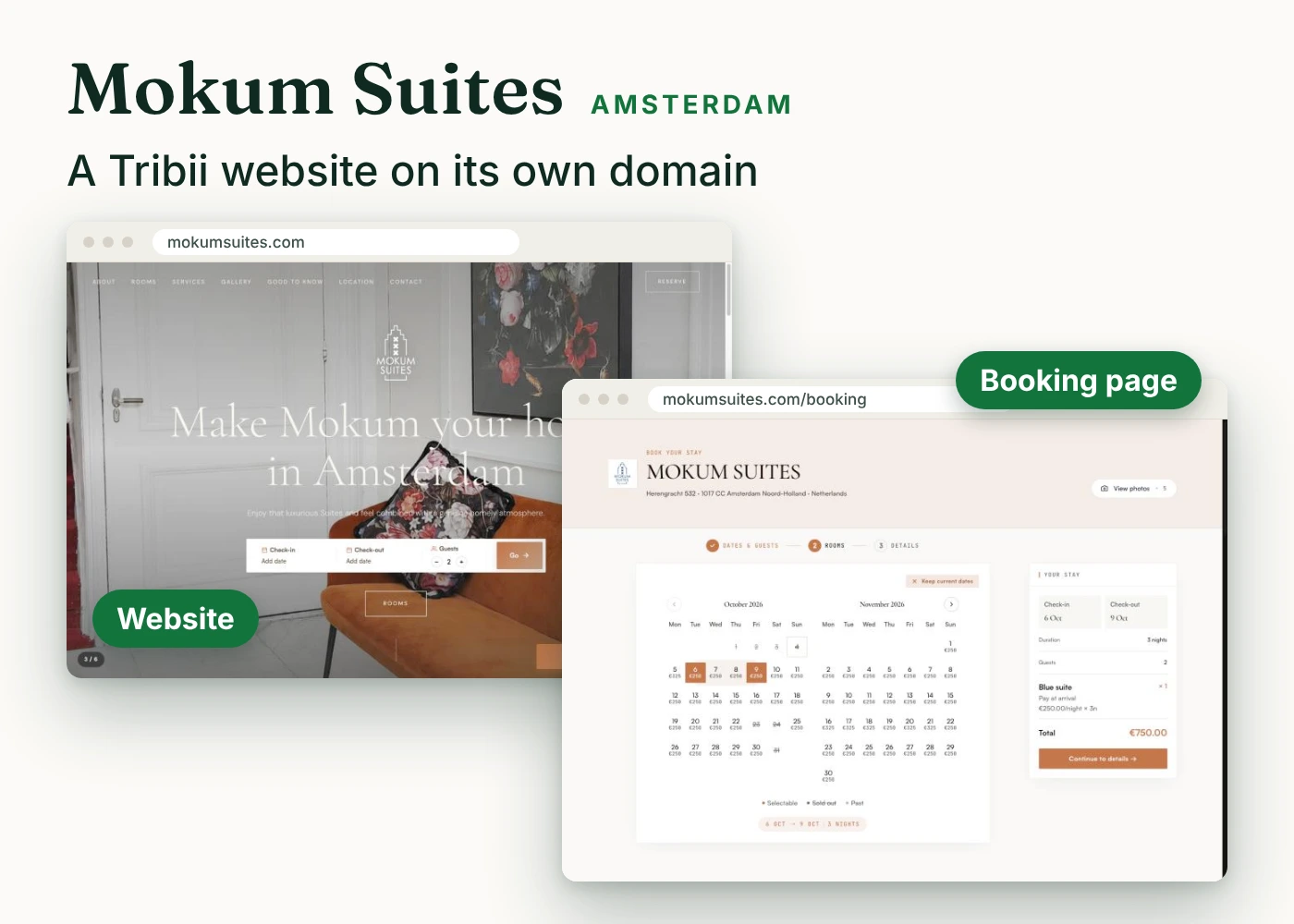
Mokum Suites sits in a canal house at Herengracht 532, built in 1688, with three suites and a shared live-in kitchen. It is run by siblings Jani and Daphne, who know the city well and like to show it to their guests.
Mokum went for the most complete option. The website itself is built with the Tribii website builder, so the suites, photos, house rules, gallery and map live in the same account as the reservations. Change a photo or a room description, and the website and the booking page change together.
Guests meet a way to book at every turn. A search bar sits in the hero. Every suite has its own room page and a Reserve button. On a phone, a Reserve your stay button stays with the guest as they scroll. All of it leads to a booking page that lives on mokumsuites.com, not on a Tribii address.
That last part comes from the Max plan, which lets you connect your own custom domain to your Tribii website. To the guest, it is simply the Mokum Suites website, from the first photo to the payment.
Who this suits: properties with no website, an outdated one, or one nobody wants to maintain. The website builder and the booking engine are free up to 20 rooms. The custom domain is the part that needs Max.
Bago D'Ouro, Douro: their own website with two widgets
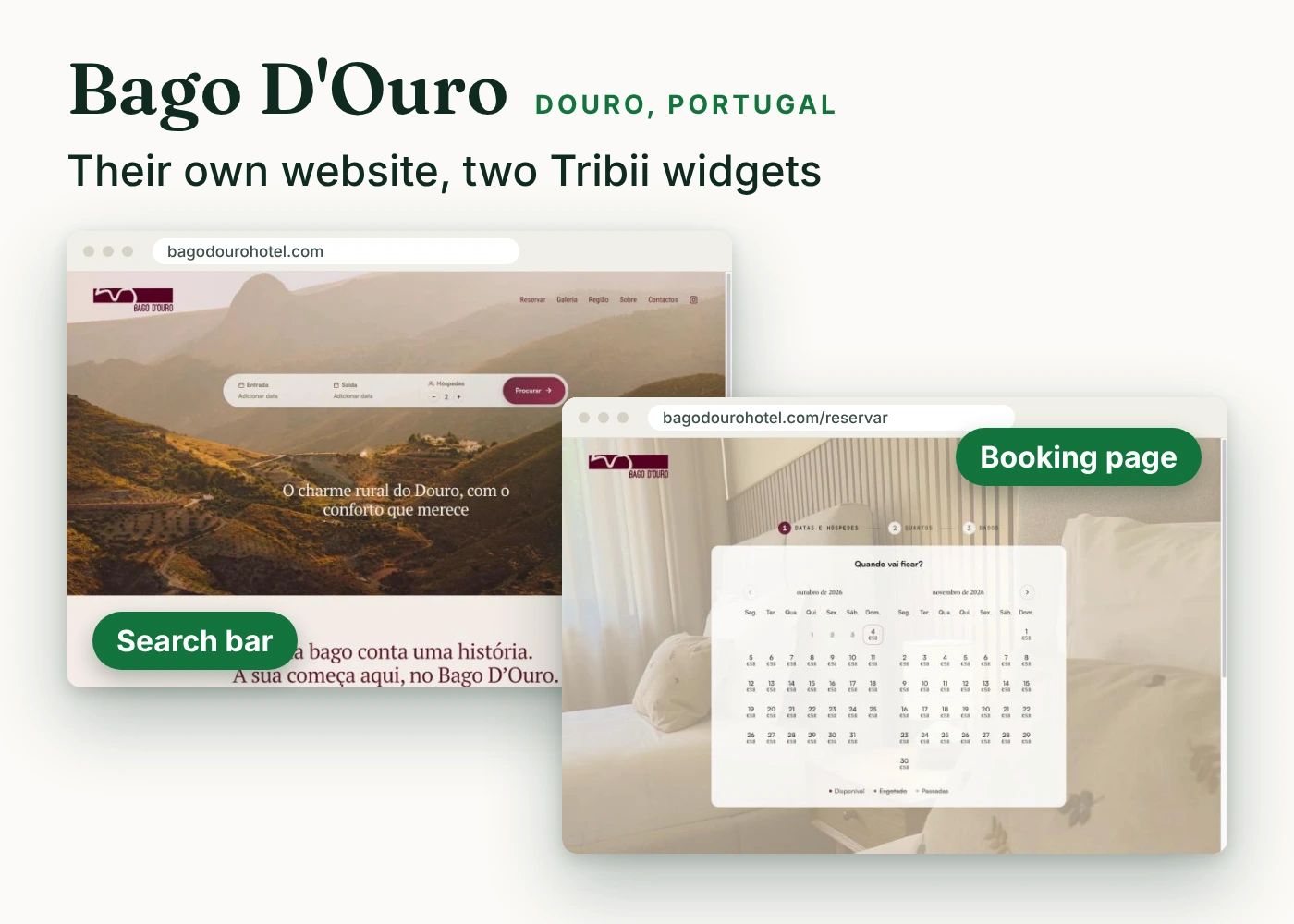
Bago D'Ouro is a rural guest house on Largo das Faias in Barca D'Alva, a village inside the Douro International natural park, close to the Spanish border.
They already had their own website, built by them outside Tribii, in Portuguese, with their own photos, logo and deep burgundy palette. Rebuilding it made no sense. So they added Tribii in two places.
- The search bar widget sits in the hero of the homepage. A guest picks arrival, departure and the number of guests, presses search, and lands straight on live availability.
- The full booking page is embedded on their own Reservar page. Guests choose dates on a live availability calendar, then their room, then pay, without ever leaving bagodourohotel.com.
Both widgets appear in Portuguese and in Bago's own colours, so they read as part of the site rather than a box from somewhere else.
Who this suits: properties with a website they like, whatever it was built with and whoever built it. The search bar widget, the booking widget and the booking page are all on the free plan. We walk through the options in more detail in how to add a booking engine to your existing website.
Bij Isa & Max, Kampen: the booking engine inside the homepage
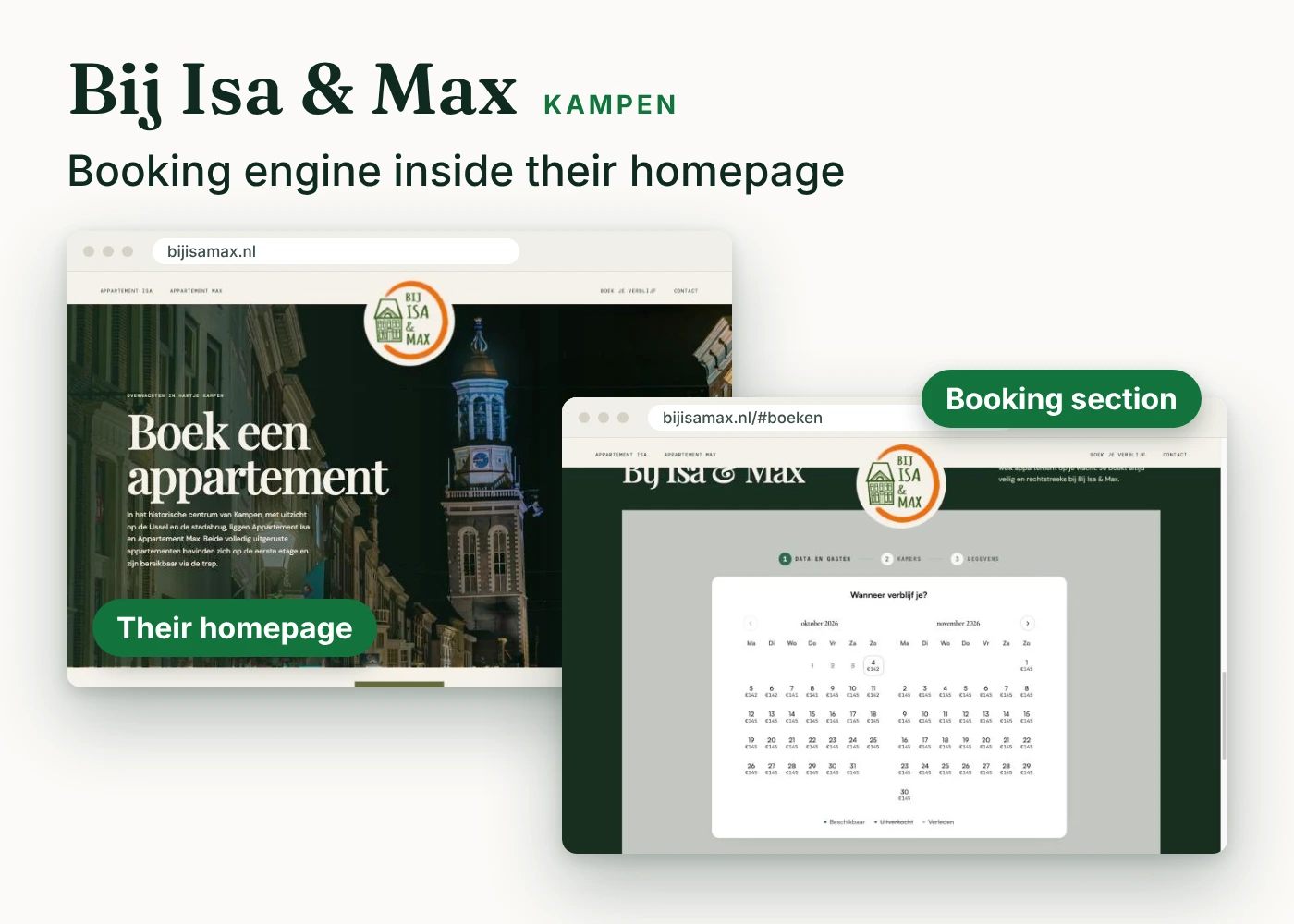
Bij Isa & Max is two fully equipped holiday apartments, Isa and Max, on the first floor of a building on the Marktgang in the historic centre of Kampen, with a view over the IJssel and the city bridge. Their website is a single scrolling page in Dutch that they built themselves, outside Tribii.
Everything on their site lives on that one page, so they wanted booking to live there too. The Tribii booking engine is embedded straight into the booking section of the homepage. Every booking button on the page scrolls down to it. The guest picks dates, sees which apartment is free and books, all on the page they landed on.
Who this suits: small places with a short, simple site, and holiday homes or apartments where the guest chooses between a few whole units. It also shows that the engine does not care what the site was built with. If you can paste an embed code into it, it works.
Same engine, your rules
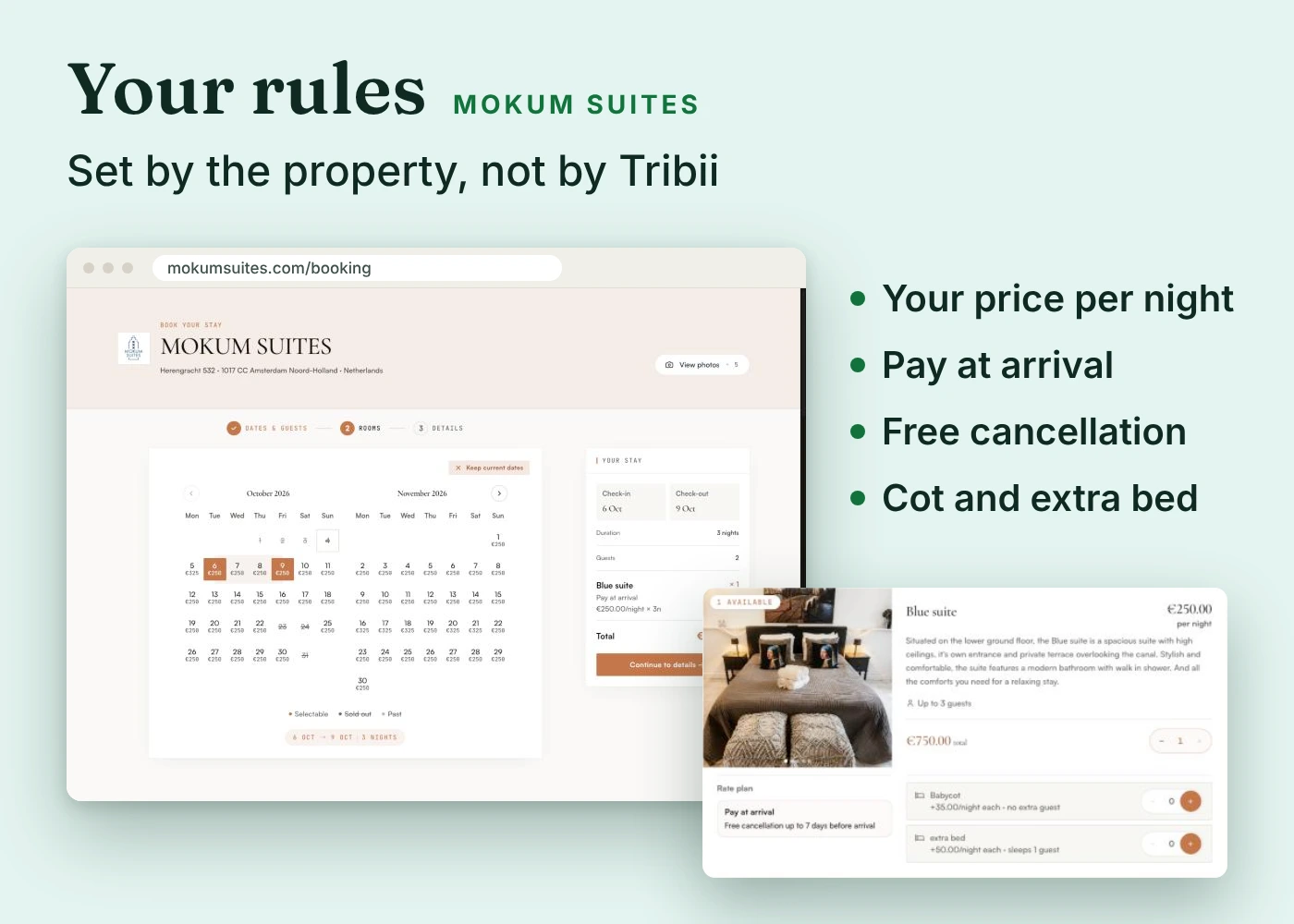
Three very different front ends, one engine behind them. And in every case, the property sets the rules, not Tribii.
Take Mokum's Blue suite. The calendar shows the price of every night before the guest picks a date, €250 on most nights and €325 on busier ones. Choose three nights and the booking page offers a pay at arrival rate with free cancellation up to 7 days before arrival, plus two bookable extras: a baby cot at €35 a night and an extra bed at €50 a night. Their house rules ask for a minimum stay of two nights. Every one of those is something Mokum chose.
Here is what you can set yourself, on the free plan:
- Rooms and units: room types, photos, descriptions, amenities and how many guests each one sleeps.
- Rate plans: as many as you like, priced as a discount on your base rate or as a price of their own. Flexible, non-refundable, early bird, long stay.
- Conditions: minimum nights, cancellation deadlines, and whether the card is charged at booking, charged automatically when free cancellation ends, or the guest pays on arrival.
- Prices by day: set each date on its own, or edit whole ranges and room types in bulk.
- Extras: breakfast, parking, a cot or an extra bed, and even meeting rooms and venues in the same booking flow.
- Language and currency: your booking page speaks your guests' language, and you charge in your own currency.
You change all of this yourself, and the change shows on your website, your widgets and your booking page at once. No support ticket, no agency, no waiting.
When you want more, Pro and Max add advanced revenue tools and price recommendations, and Max adds a rate autopilot that moves your prices within a floor and a ceiling you set.
Which setup fits your property
- No website, or one you want to replace: build it with the Tribii website builder, like Mokum Suites. Add Max when you want it on your own domain.
- A website you like: add the search bar to your hero and the booking page to a reservation page, like Bago D'Ouro.
- A one-page or very simple site: embed the booking engine in your booking section, like Bij Isa & Max.
- Not sure yet: start by sharing the link to your hosted Tribii booking page in emails, on Instagram and on Google. Add the widgets later. Your rooms, rates and rules stay the same whichever front end you choose.
What it costs
- Free, up to 20 rooms: the booking engine, the booking widget, the search bar widget, the hosted booking page and the website builder. Above 20 rooms you stay on the free plan and add €5 per extra room a month.
- Pro, €55 a month: custom branding, removing the Tribii branding, extra website templates, website SEO tools and iCal calendar sync.
- Max, €95 a month: your own custom domain on your Tribii website, the channel manager, front desk, housekeeping and online guest check-in.
On every plan, direct bookings carry 0% commission. Guests pay into your own Stripe account, so Tribii never touches the money. If you want to understand why that matters, read what a commission-free booking engine really means.
Common questions
Can I use Tribii with the website I already have?
Yes. Bago D'Ouro and Bij Isa & Max both built their own websites outside Tribii and simply added it. If your site lets you paste an embed code, you can add the search bar or the full booking engine, whatever the site was built with.
Do I need the Max plan to use my own domain?
Only for a website built with Tribii, like Mokum Suites. If you embed Tribii in your own site, the domain is already yours and the free plan is enough.
Will the booking engine match the look of my website?
The widgets appear in your guests' language, and Bago D'Ouro and Bij Isa & Max both show them in their own colours. Full custom branding with your colours, fonts and logo, and removing the Tribii branding, come with Pro.
Does Tribii take a commission on these bookings?
No. Guests pay you directly through Stripe. Tribii earns only from the optional Pro and Max plans, never from a reservation.
Can I change my rates and rules after going live?
Any time. Rates, rate plans, cancellation terms, extras and minimum stays are yours to edit, and every change shows on your website and widgets at once.
How long does it take to set up?
Most owners go live in about 30 minutes. AI onboarding drafts your rooms and rates for you to approve, and you can try the demo first without signing up.
The short version
Mokum Suites, Bago D'Ouro and Bij Isa & Max all take commission-free direct bookings with Tribii, and each picked a different front door. Mokum built its whole website on Tribii and put it on its own domain with Max. Bago D'Ouro kept its own website and added a search bar and an embedded booking page. Bij Isa & Max dropped the booking engine straight into its homepage. Behind all three is the same engine, with rooms, rates, conditions and extras set by the property itself. Choose the setup that fits the website you have today, and change it whenever you like.

Tribii
The free booking engine for independent hoteliers. Editorial notes.
More for the kitchen table.
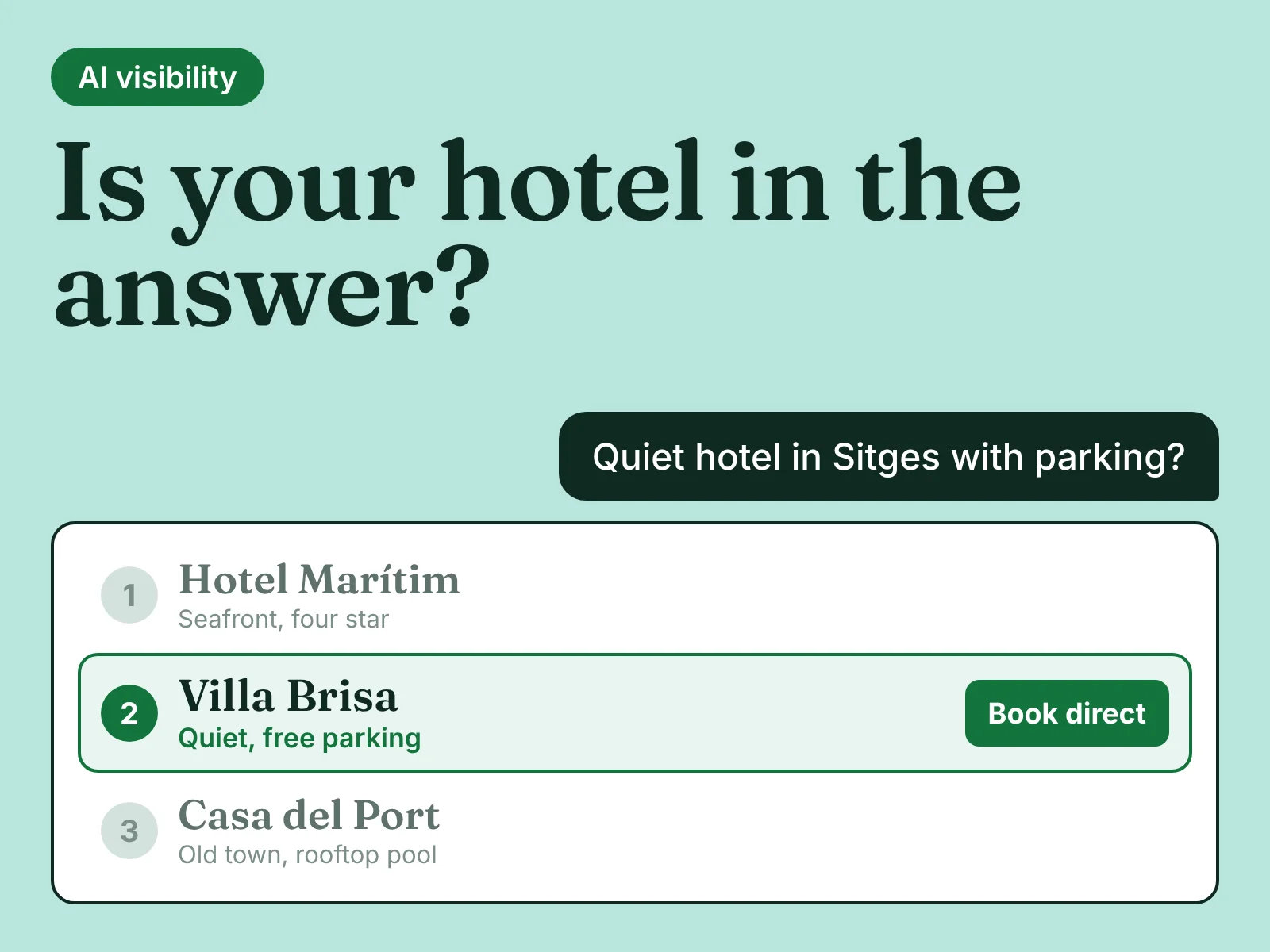
AI visibility for hotels: how to get your property recommended by ChatGPT, Gemini and Google
More guests now ask ChatGPT, Gemini or Google's AI Mode where to stay, and get a handful of names back. Most independent hotels are never one of them. Here is how AI picks hotels, and eight steps to get yours named and booked direct.
 Tribii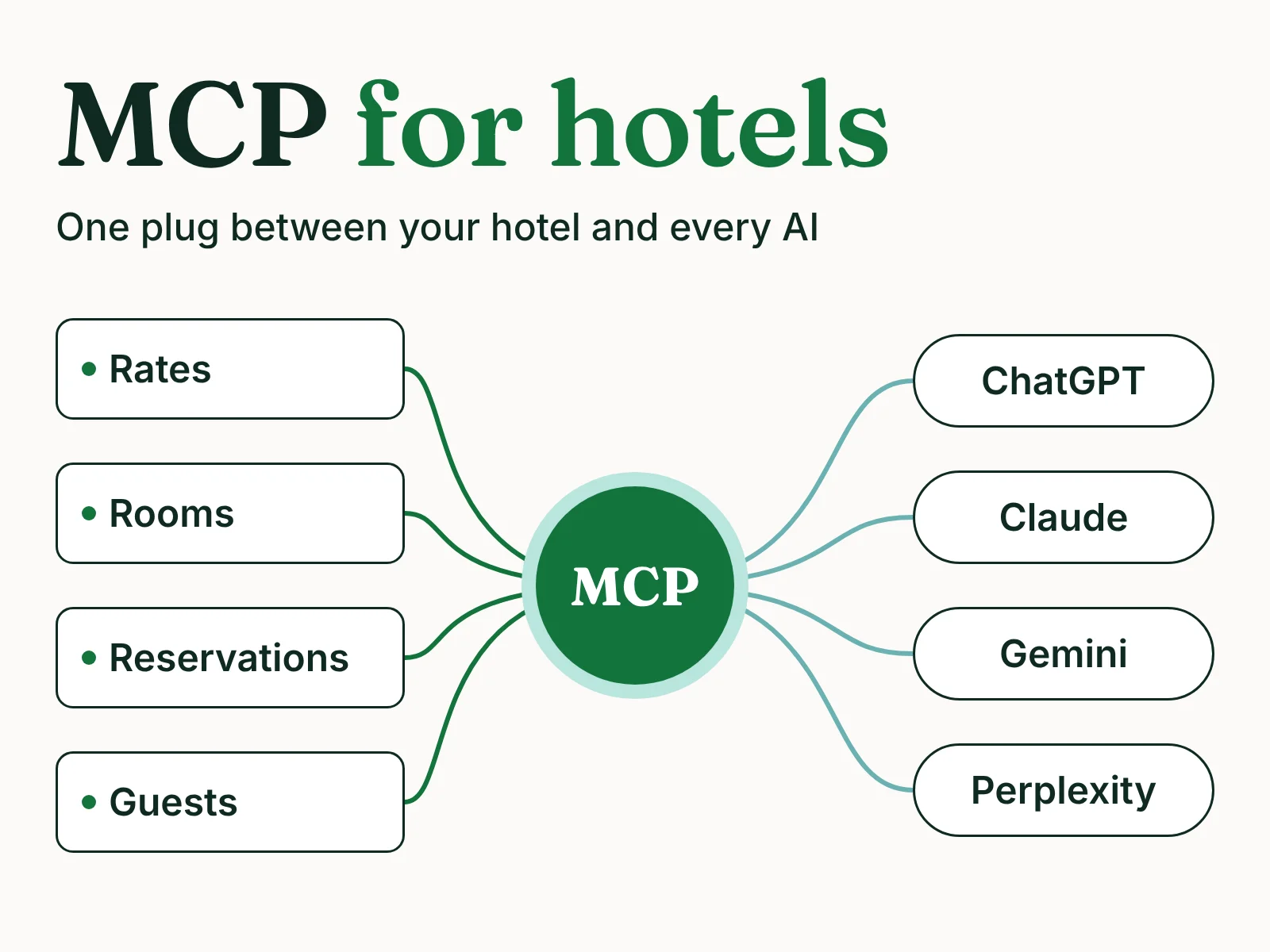
MCP for hotels: how AI assistants will find, sell and help run your property
ChatGPT, Claude and Google can now read live hotel prices, and some can take a booking. The standard behind it is called MCP. Here is what it is, what it changes for a small hotel's visibility and daily work, and what to do about it now.
Tribii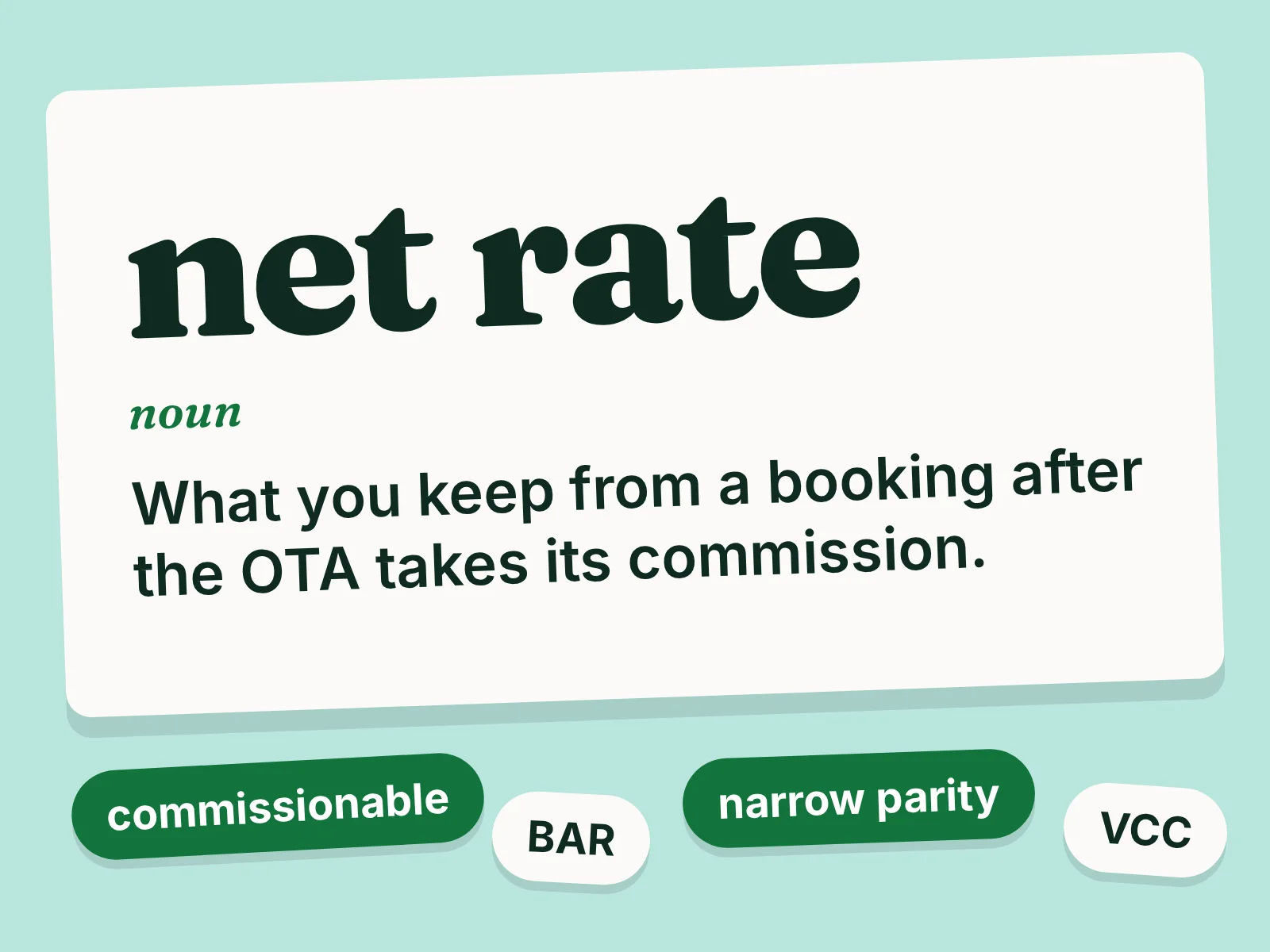
OTA terms explained: a plain-language glossary for independent hotels
Commissionable rate, net rate, merchant model, narrow parity. The words in your OTA contract, explained in plain language, with what each one means for your money.
Tribii